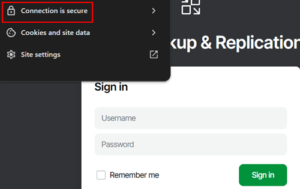
First of all, prepare your certificate files in text format (PEM) e.g. .cer and .key
1.Login as Host Admin e.g. veeamadmin to Veeam Host Management Console using link:
https://vbr01.paweldaniec.it:10443/
a) Submit a request to the Security Officer for root access
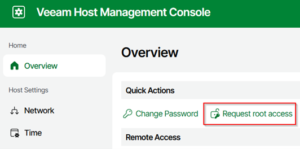
b) Submit a request to enable the SSH server to the Security Officer
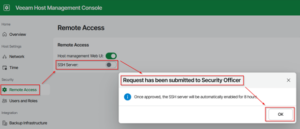
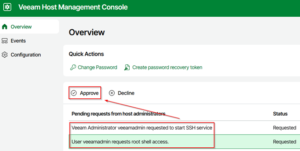
2. As Security Officer (default: veeamso), login to Veeam Host Management Console: https://vbr01.paweldaniec.it:10443/ and Approve both requests:
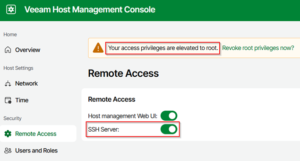
3. As veeamadmin, you should now see that the privileges are elevated and the SSH server is enabled:
4. Now, use SCP to upload the .crt and .key files to the /tmp/ directory on the VBR machine (other locations are not permitted).
5. IMPORTANT: Access the server via the local console or remote management controller (iDRAC, iKVM, iLO):
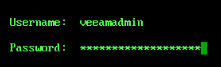
a) login as Host Admin e.g. veeamadmin
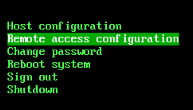
b) choose Remote access configuration
c) Enter shell

6. Back up your current certificates and keys using commands:
cp /etc/veeam/certs/nginx/veeam_vbr_nginx_certificate.crt /home/veeamadmin/ backup_veeam_certs/

cp /etc/veeam/certs/nginx/veeam_vbr_nginx_certificate.key /home/veeamadmin/ backup_veeam_certs/

cp /etc/veeam/certs/nginx/veeam_hostmanager_nginx_certificate.crt /home/veeamadmin/backup_veeam_certs/

cp /etc/veeam/certs/nginx/veeam_hostmanager_nginx_certificate.key /home/veeamadmin/backup_veeam_certs/

7. Copy new and overwrite existing certificates using the commands:
cp /tmp/paweldaniecit.crt /etc/veeam/certs/nginx/veeam_vbr_nginx_certificate.crt

cp /tmp/paweldaniecit.key /etc/veeam/certs/nginx/veeam_vbr_nginx_certificate.key

cp /tmp/paweldaniecit.crt /etc/veeam/certs/nginx/veeam_hostmanager_nginx_certificate.crt

cp /tmp/paweldaniecit.key /etc/veeam/certs/nginx/veeam_hostmanager_nginx_certificate.key

8. Restart the web server to apply the new certificate:
systemctl restart nginx
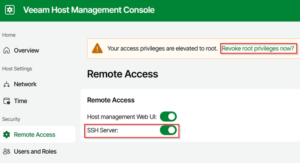
9. Remember to Revoke root privileges and disable SSH Server on the Host admin account.
10. Cleanup the uploaded certificate files from the /tmp/ directory using:
rm /tmp/paweldaniecit.key /tmp/paweldaniecit.crt

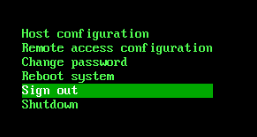
11. Quit session using exit command and Sign out button:
12. Now, your Veeam Backup & Replication and Veeam Host Management are secured: